Tap a seat to fill it
Annual Lake Trip
South Lake Tahoe · Thursday, Jul 3
Cars
Car 1
July 3 at 10:00 AM
San Francisco
3/5 seats left
Carpoolio • 2024–2025
A group travel app, from first prototype to the App Store
Overview
Carpoolio planned the rides for group trips: who’s driving, who’s riding with whom, and when each car leaves. I designed and built it, first as a web app and then as an iOS app that shipped in July 2025.
It was the first full-stack app I built and designed. In January 2026 I sold the Carpoolio name to a company with an app of the same name, and took mine off the App Store as part of the sale.
- Role
- Design and build
- Timeline
- October 2024 to August 2025
- Platforms
- Web app, then iOS (App Store, July 2025)
Problem
How might a group plan who rides with whom without the group chat chaos?
Planning a trip with multiple cars and passengers can quickly become overwhelming, especially when coordination happens through fragmented group chats, spreadsheets, or last-minute messages.
Carpool apps are built for daily commutes or riding with strangers. Carpoolio was for pre-existing groups: people who already know each other but need a better way to organize their rides, for a road trip, a festival or an out-of-town event. When I pitched it to friends, I called it “kind of like Partiful but for trips/festivals/weddings/ winetasting,” and admitted I was building it for me too: “I hate the hassle.”
Everyone in the group needs to know 3 things:
Who’s in which car
A list of names doesn’t show who’s riding together or how many seats are left.
When and where each car leaves
Every car has its own time and pickup spot, and they change.
That it’s easy to join
The person planning sends a link. Nobody wants to set up anything before they can claim a seat.
Design
Make the car the sign-up sheet.
The core idea was to draw each car from above and make its seats the slots. You see the car, you see who’s in it, and you tap an open seat to take it. The first row holds the driver and 1 passenger, and the rows behind hold up to 3. A badge on each car counts the open seats down to “Full.” The demo at the top is that screen, rebuilt.
One big form, then one question per screen, then one screen
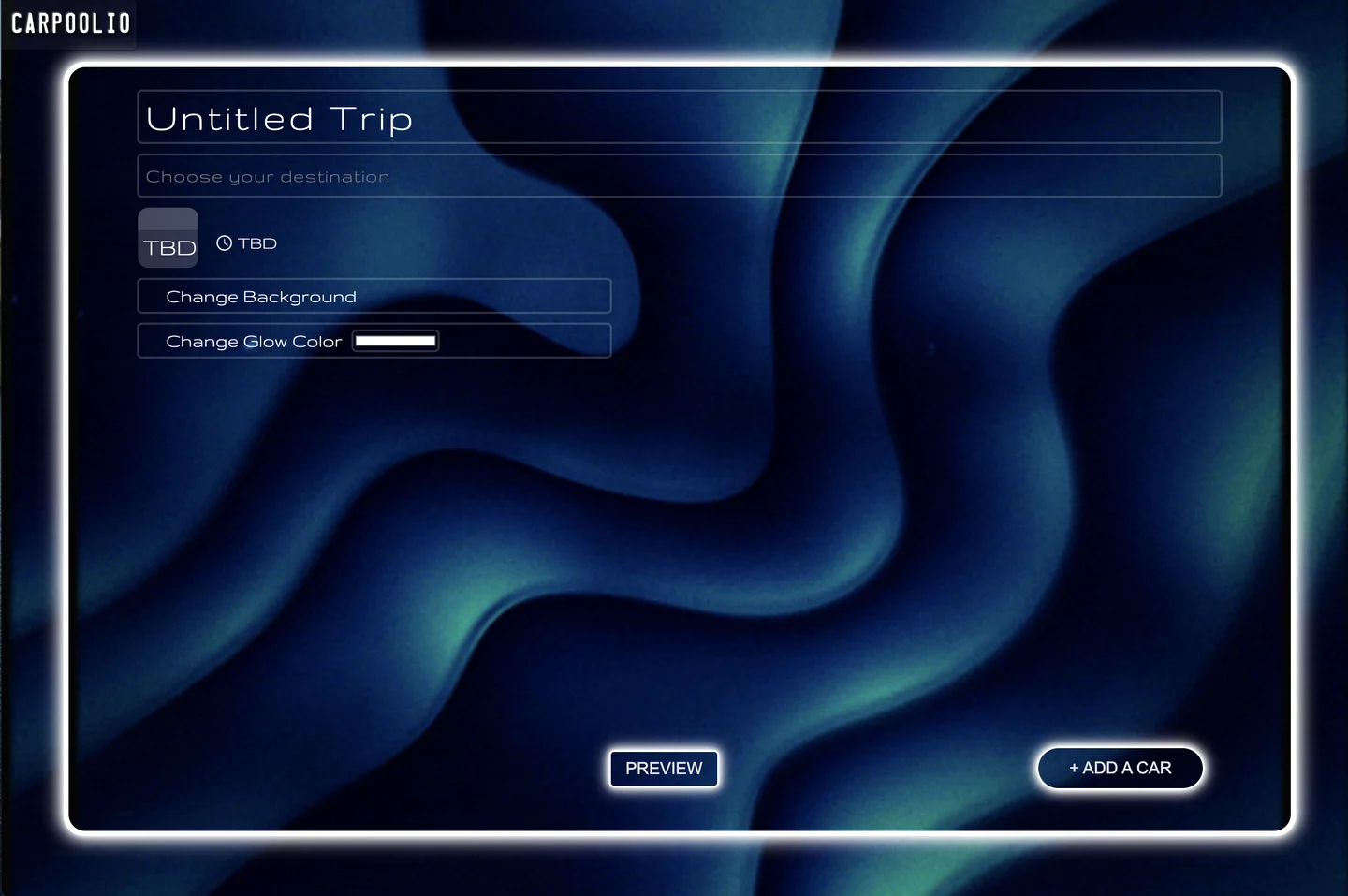
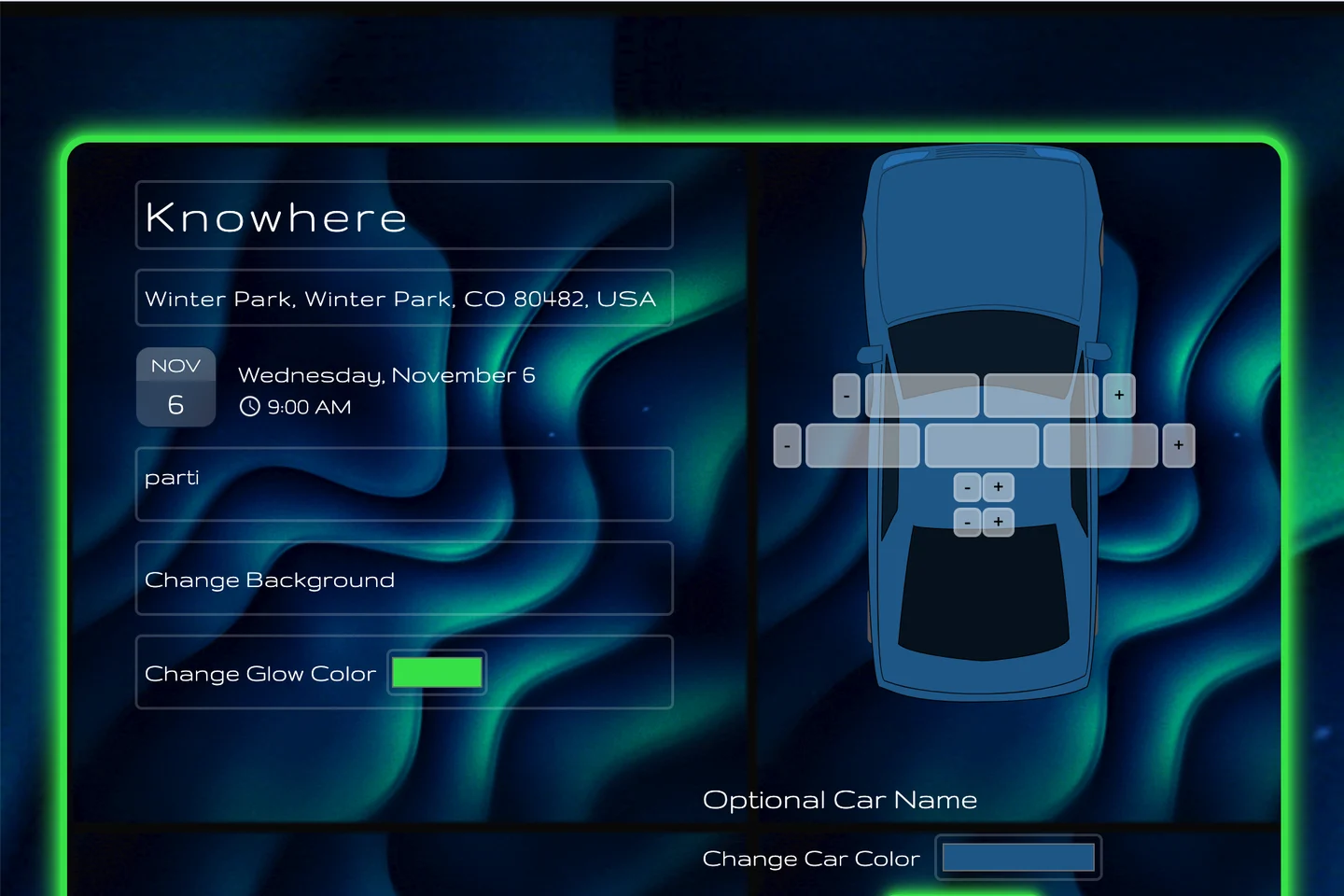
In October 2024 my editor was 1 glowing card holding every field. About a week later I split it into 2 columns, trip details on the left and the car on the right, with + and − buttons to add seats row by row. Then on November 11 I took creation out of the editor entirely: name your trip, choose a destination, set a date, one question per screen. The date step has a “Not sure yet” button, for trips that don’t have a weekend yet.
October 29, 2024
November 6, 2024
November 11, 2024
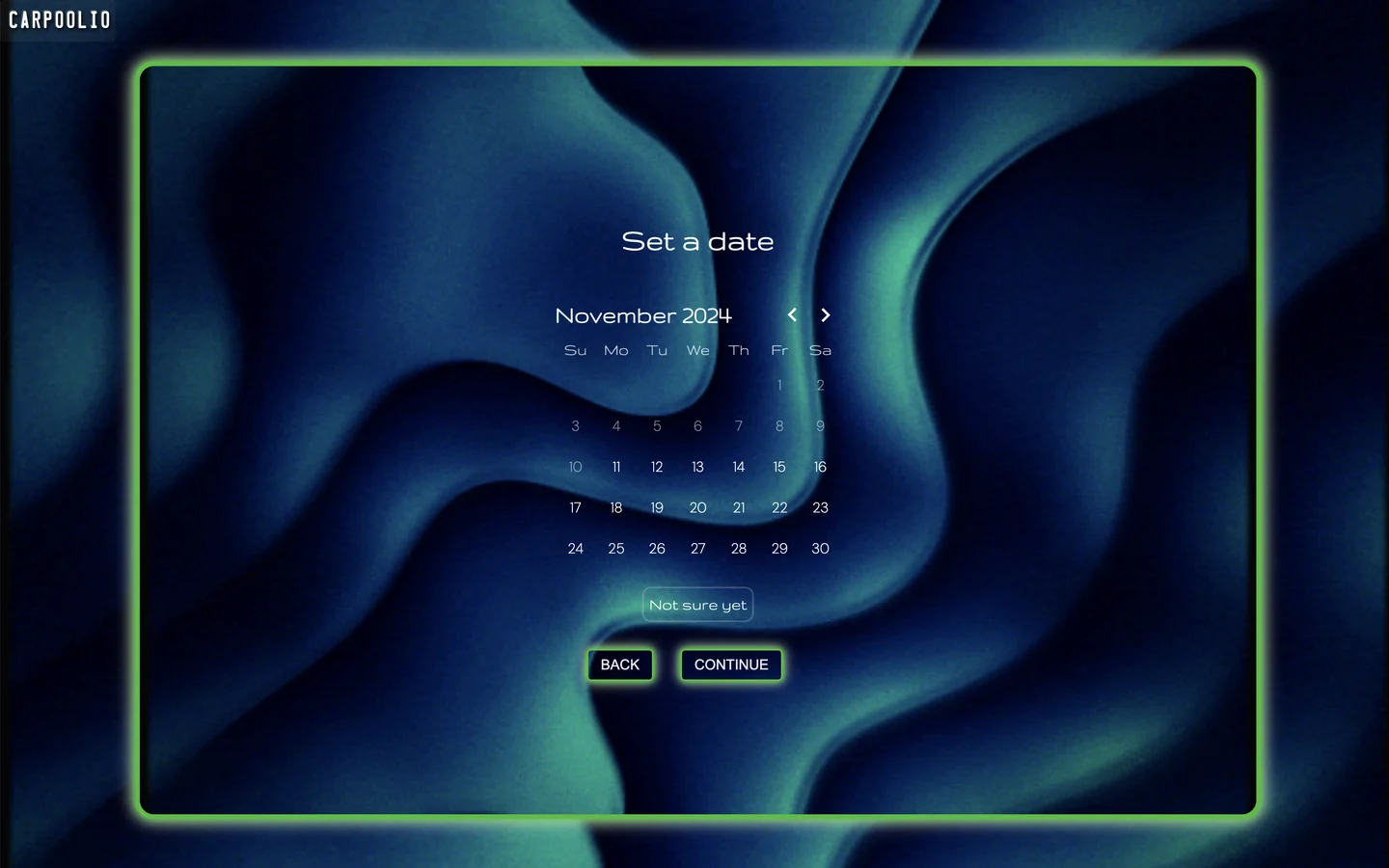
The step-by-step flow felt guided, but people were dropping off at step 2. I’d put work into it, so I held on to it longer than I should have. Then I cut it down to one screen, with smart defaults and inline validation, and many more people finished making a trip. Friction you add “for clarity” is still friction, and now I try to throw out my own work faster when the data says to.
Set the vibe
A trip should feel like the trip. Hosts pick an animated background for it, and on iOS every card, field and button turns to frosted glass tinted by that background, so the whole screen changes with it. On the web, hosts could also set the glow color of the buttons and cards.
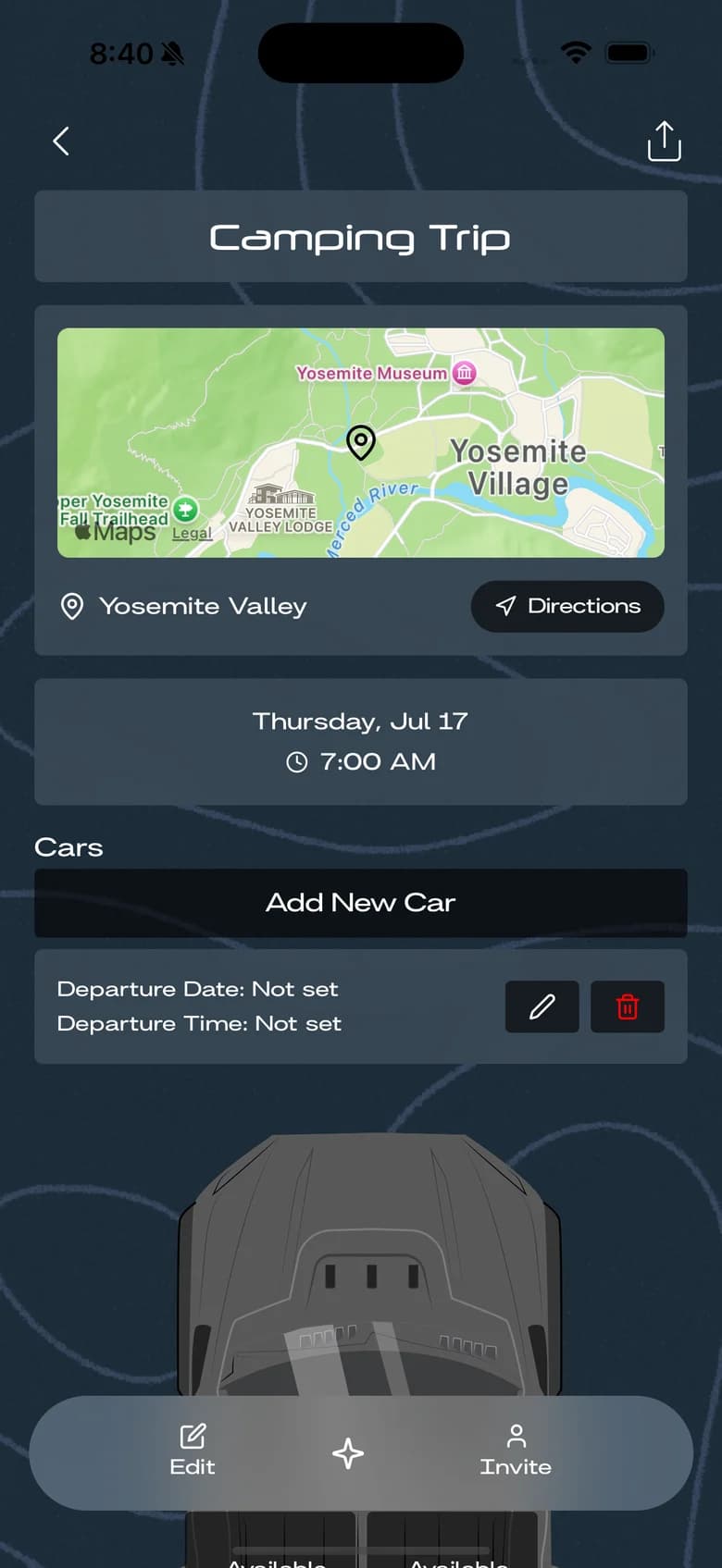
One background
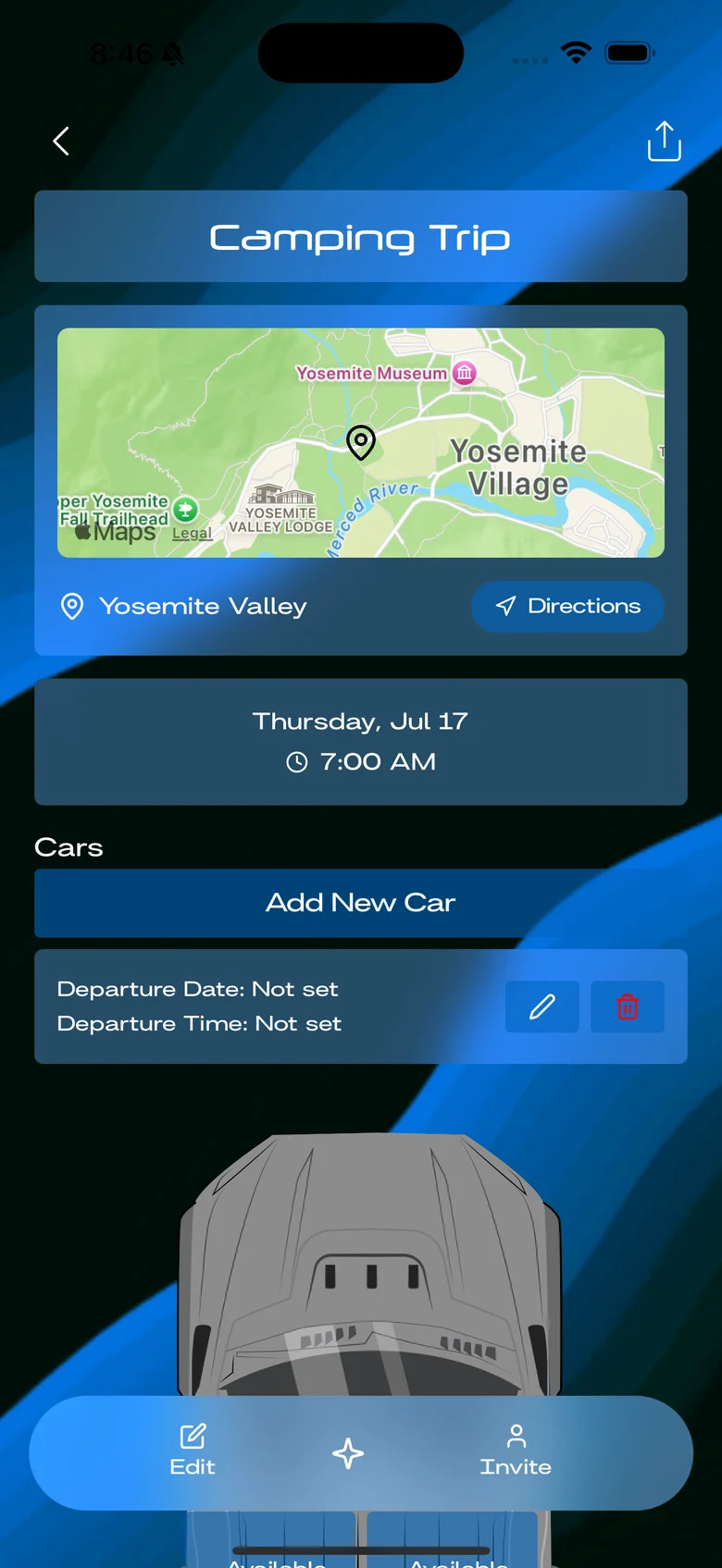
Another
Before and after styling
On iOS I built the flows first with stock components, then started styling on May 2, 2025. The profile screen shows the jump: from gray buttons on white to glass on the trip’s background, with headings in Neuropol and body text in Britanica.
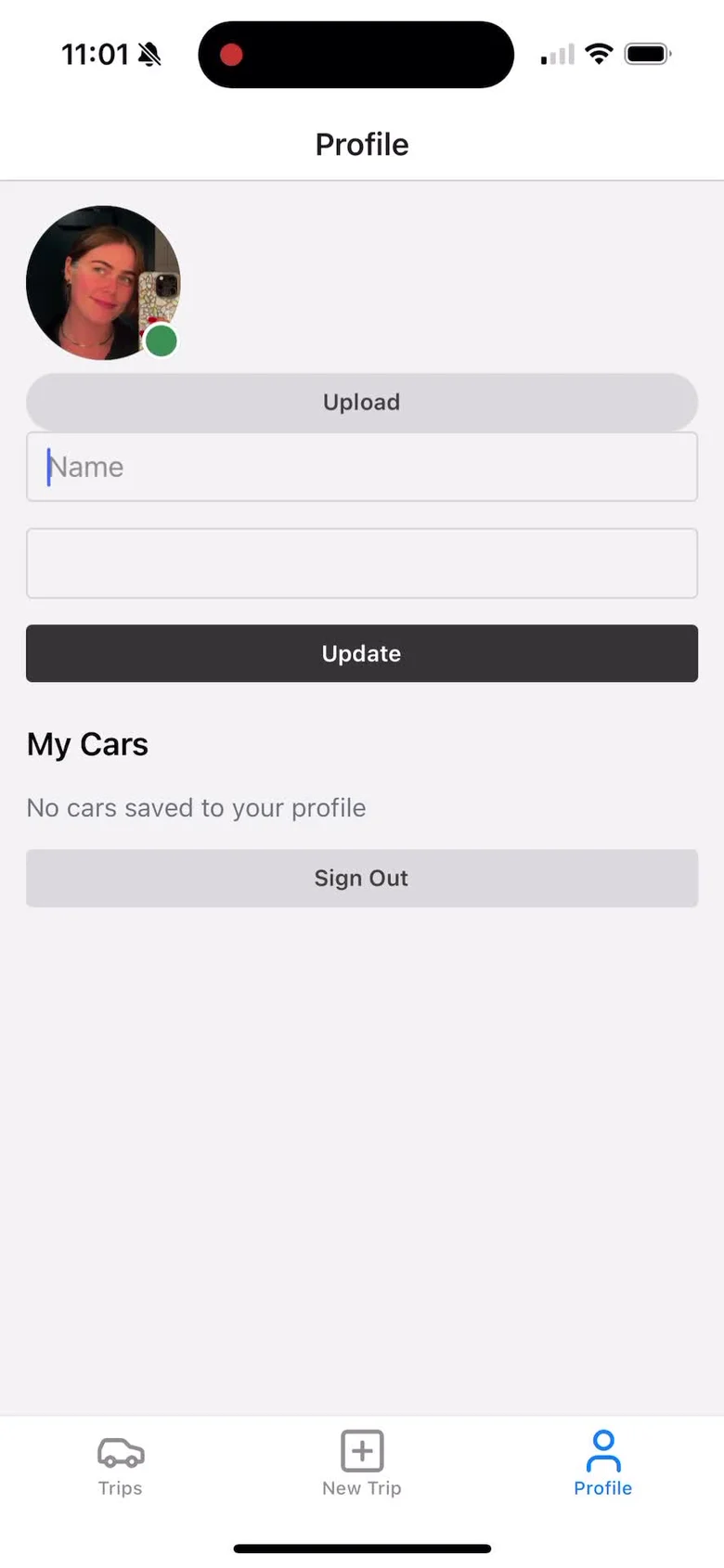
May 1, 2025
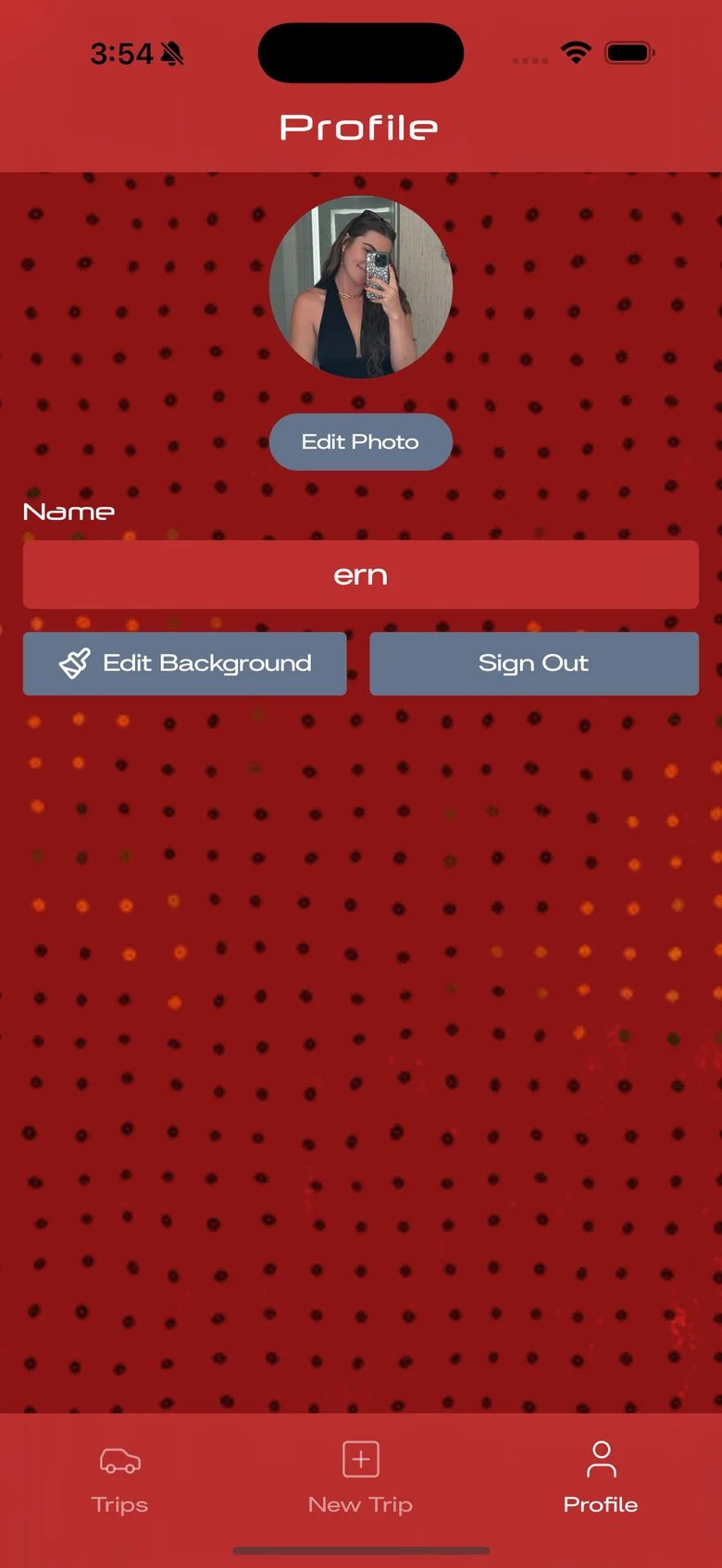
June 2025
Who can change what
A car belongs to whoever adds it, but the seats belong to everyone. In July 2025 I made that the rule: anyone on the trip can change who sits where, and only the car’s owner can edit the car itself, its time, pickup spot and number of seats.
Shipping
From the web to the App Store.
The web app was live at carpoolio.co by January 2025 and needed no account: making a trip gave you a private link to edit it and a public one to share. For iOS I added accounts, so trips could live in a list split into Hosting and Invited, and share links open the app or send people to the App Store.
I submitted version 1.0 on July 7, 2025. It passed review the next day and went live on July 9, and I shipped 3 updates through August.
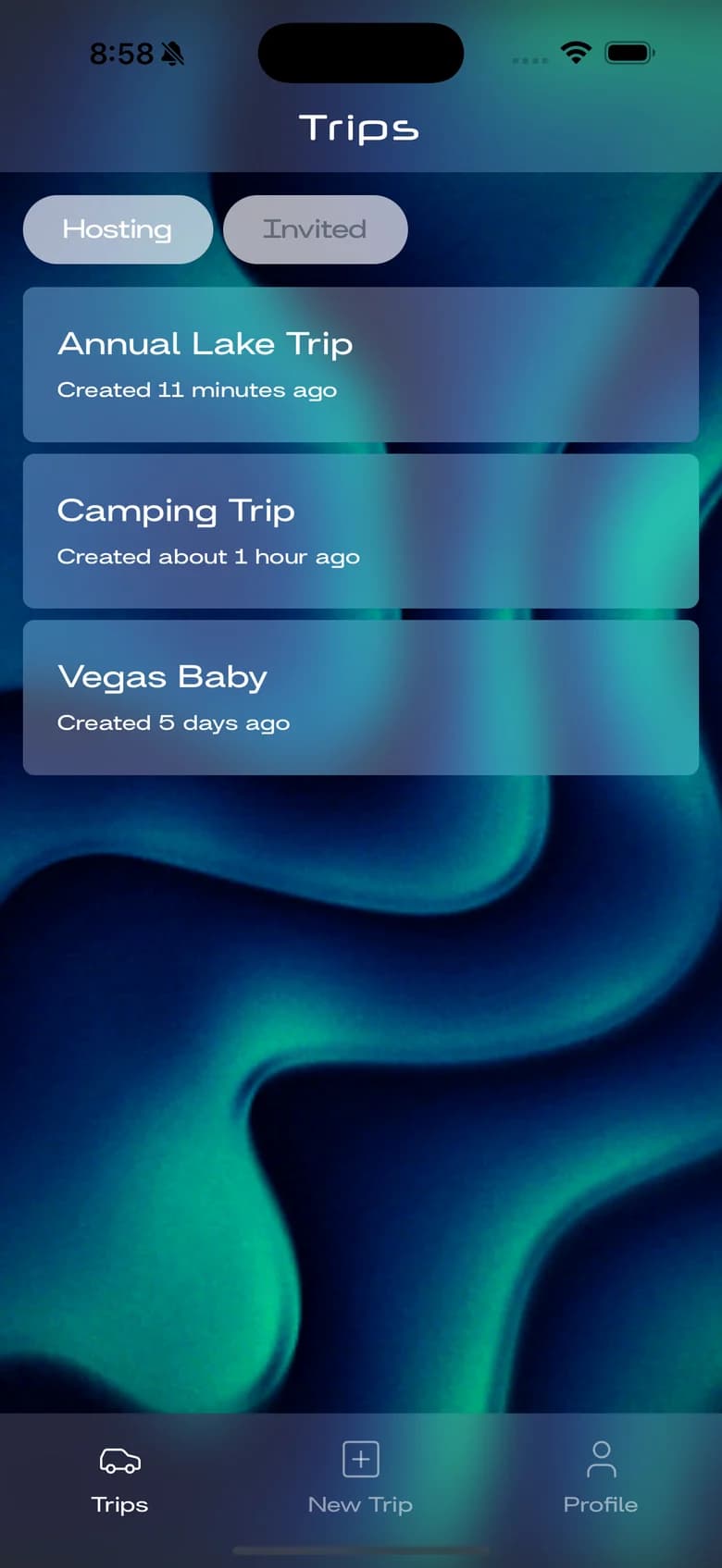
Trips
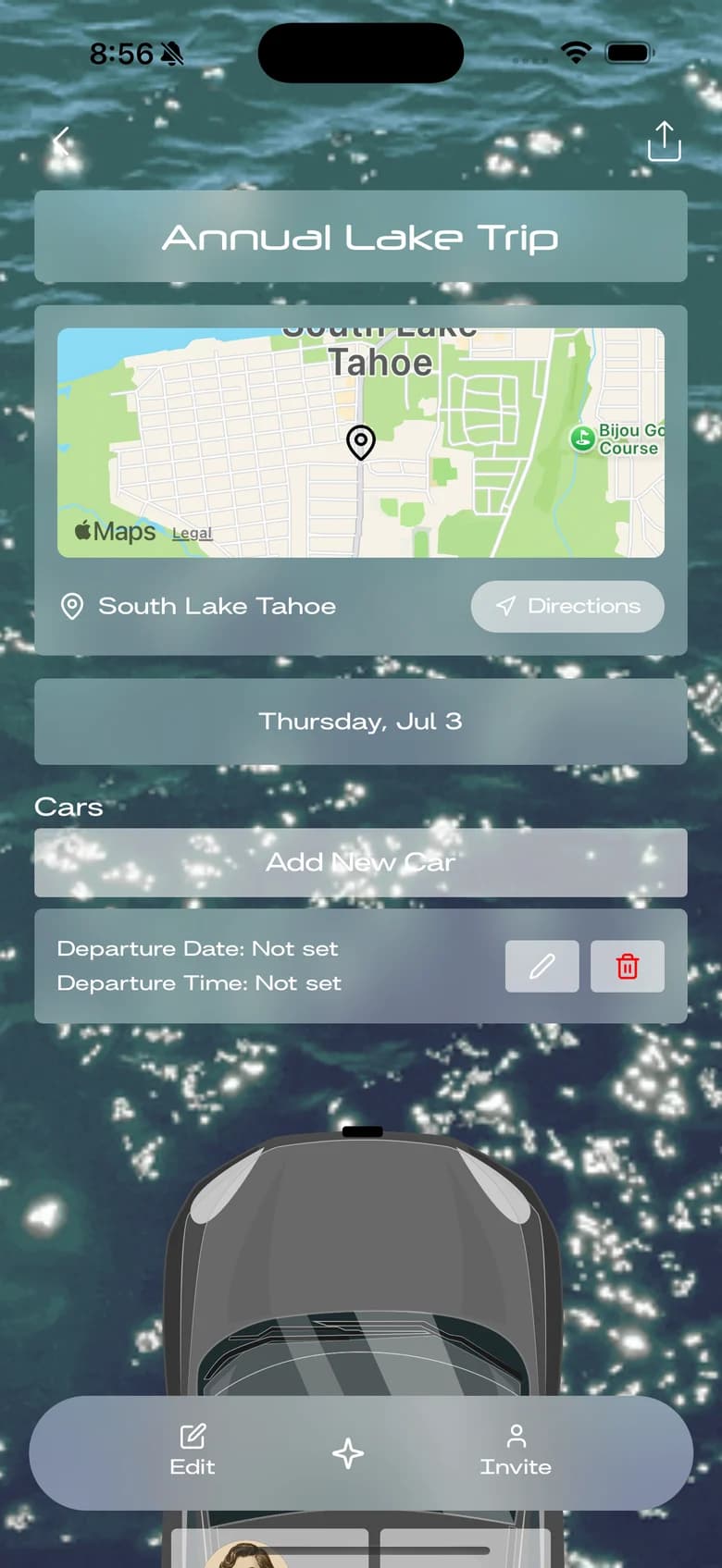
Trip
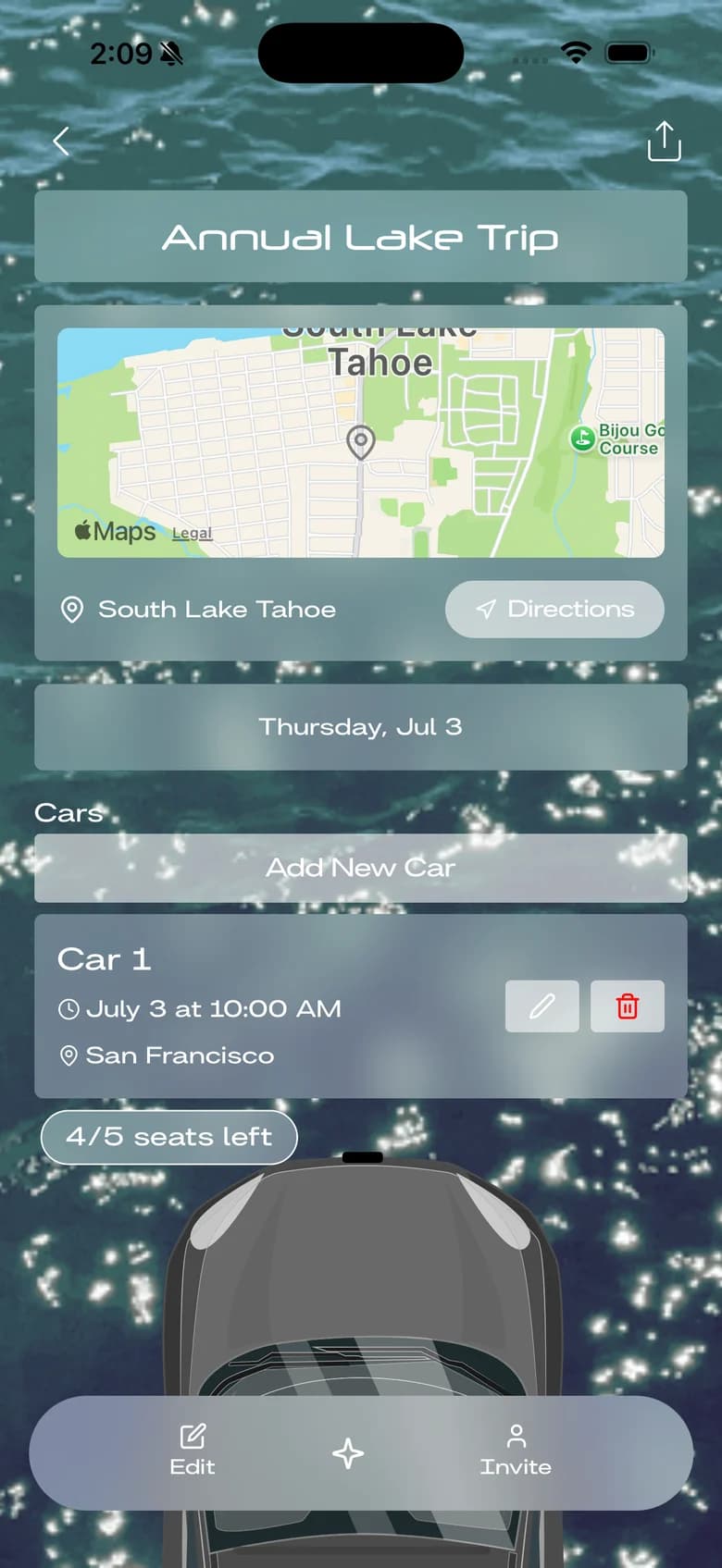
Car
Results
Carpoolio went from a coded prototype in October 2024 to the App Store in July 2025: 4 iOS releases, with the first approved in about a day. In January 2026 another company with an app called Carpoolio bought the name from me. I had used it first, with carpoolio.co live since January 2025, and as part of the sale I took my app down.
Reflection
Knowing what I know now, I would probably have made a simpler web app first, since Carpoolio’s functionality was quite complex for a novice developer.
How I built it
React and Express with Postgres on the web; Expo, React Native and Supabase on iOS. The car drawings were free top-down illustrations that I recolored in code, so any color a host picked kept its shading. The engineering side has the details.